Return Shipment
We're excited to introduce a dedicated Return Shipment screen — a purpose-built experience for creating, managing, and tracking return shipments directly within Piyovi TMS.
Previously, return labels were handled as part of the outbound shipping flow. With this release, returns get their own dedicated workspace, making the process faster, cleaner, and more intuitive.
What's New
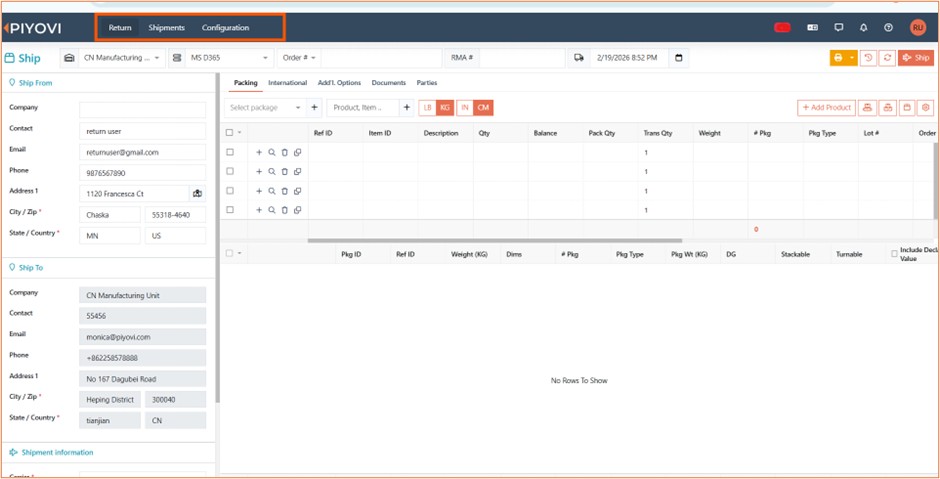
- A standalone Return screen is now available in the main navigation. It provides a familiar layout (similar to the Ship screen) tailored specifically for return shipment workflows.
- A dedicated Return Shipments listing is available under the Shipments section, giving you a filtered view of all return shipments with full search, filter, and bulk action capabilities.
- Return shipments are visually highlighted with a light blue color in the main shipment grid, making them easy to identify at a glance.
How to Use
Creating a Return Shipment
- Click "Return" in the top navigation bar
- Select your Location — the Ship To address will auto-populate from your location's configured return address
- In the left panel, select the Carrier, Service Level, and Carrier Account for the return
- Choose the Payment Type (Sender, Recipient, or Third Party) — if Third Party, enter the account number, zip code, and country
- Optionally select a Return Shipment Type and add Customer References
- In the right panel: - Packing tab — Add packages with weight and dimensions - International tab — Enter customs details for international returns - Additional Options tab — Select one or more Return Reasons and optionally enter a Description of Goods - Parties tab — Add Sold To or other party addresses as needed
- Click Ship to generate the return label, or Save to store as a draft for later
Viewing & Managing Return Shipments
- Navigate to Shipments → Returns to see all return shipments
- Use the filters at the top to narrow by Status, Date Range, Location, or Carrier
- Click Save Filter to remember your preferred filter settings
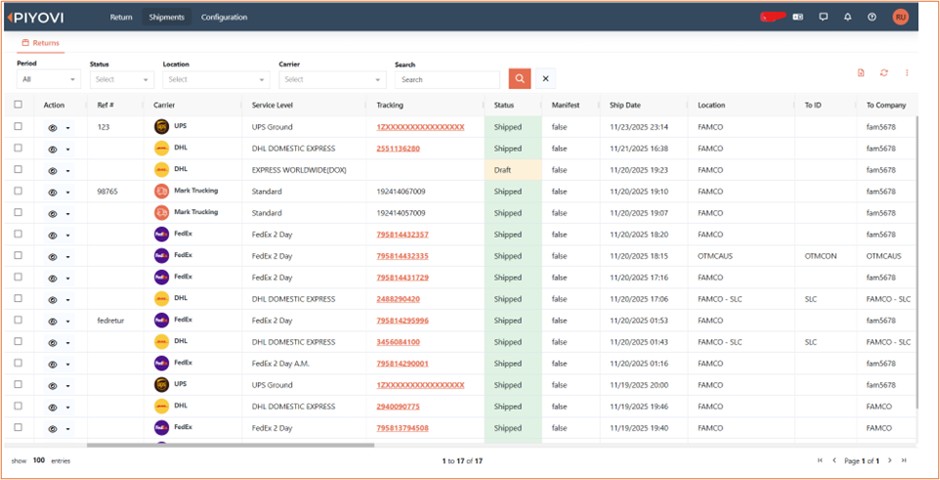
Available actions per shipment:
| Action | Description |
|---|---|
| View | Open the shipment detail view (shows RMA Number, Return Reason, and full tracking info) |
| Edit | Modify draft or validated return shipments |
| Cancel | Cancel a return shipment (with carrier void if already shipped) |
| Comments | Add or view comments |
| Export to Excel | Download the current view as a spreadsheet |
Select multiple rows for bulk actions: Cancel, Force Cancel, Add Comment, or Delete
Setup & Configuration
To enable the Return Shipment feature for your team, the following configuration steps are needed:
1. Permissions
Assign these permissions to the appropriate user roles:
| Permission | What It Controls |
|---|---|
| Return Ship | Access to the Return Ship screen |
| Return Shipment Save | Ability to save return shipment drafts |
| Manage Return Shipments | Full access to the return shipments listing, editing, and comments |
2. Carrier Setup
The Return Shipment special service must be enabled on each carrier that supports returns. If a carrier does not have this service enabled, users will see an error when attempting to create a return shipment with that carrier.
3. Ship From Address
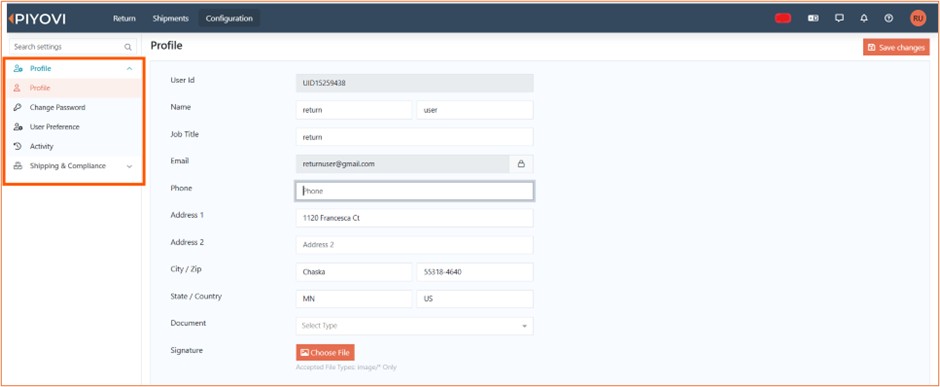
- If a default Ship From address is configured under Configuration → Profile screen, it will be automatically populated in the Ship From section.
- If no default Ship From address is configured, users will have the option to manually enter the Ship From details.
4. Location Return Address *(Optional)
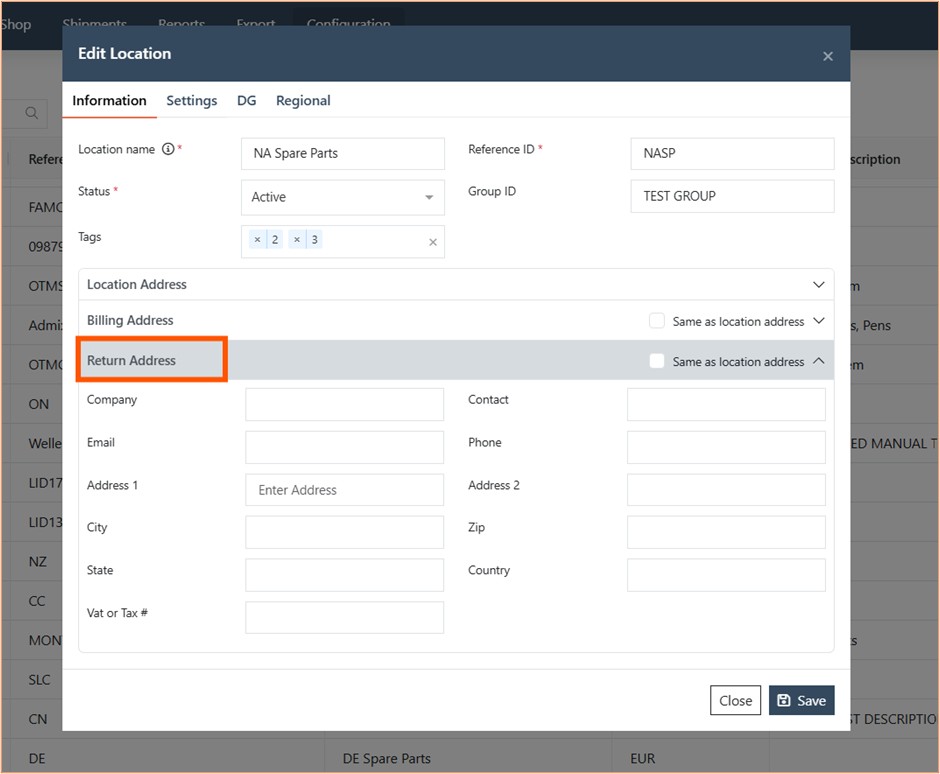
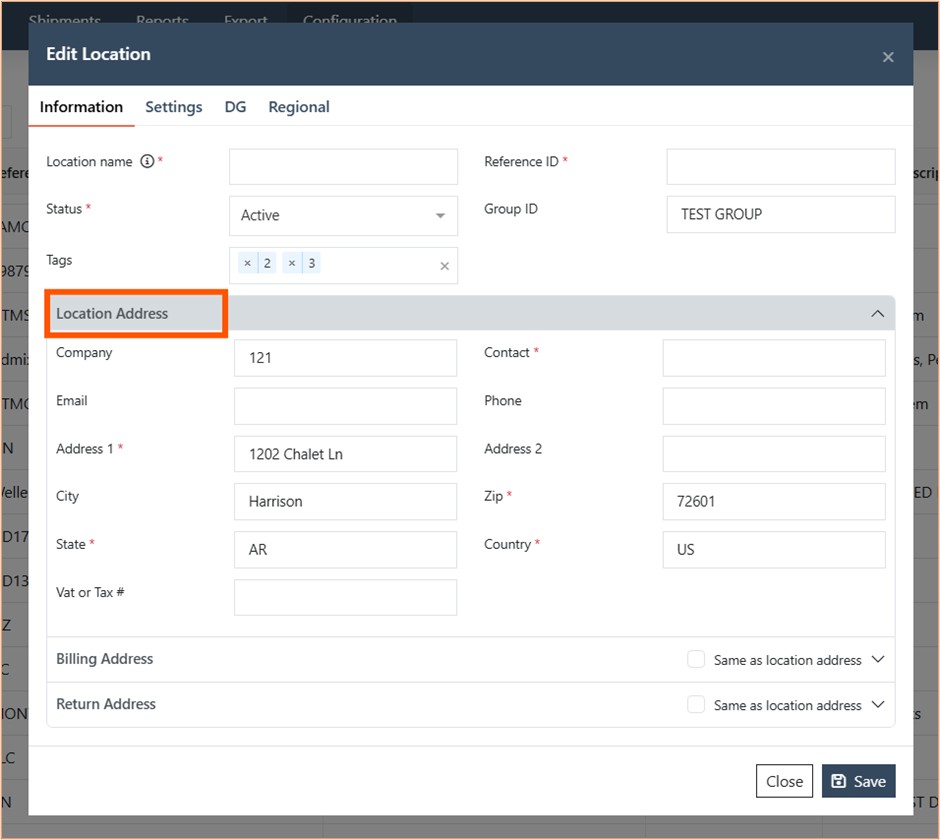
Each location can now have a dedicated Return Address configured. When a user creates a return shipment, this address is used as the default Ship To. If no return address is configured, the location's primary address is used instead.
5. Return Reasons & Return Shipment Types
- Return Reasons — Configurable list of reasons (e.g., Damaged, Wrong Item, Customer Request). Users can also enter custom reasons on the fly.
- Return Shipment Types — Configurable classification for return shipments, available at both system and company level.